Analyze with Chess Masti, the Chrome extension
One orange button, dropped into the top navigation of every Lichess and Chess.com game page. Click it. Your PGN comes with you to chessmasti.com and Masti is already talking. No copy-paste, no upload, no account.


Install the Chrome extension
Add a one-click Analyze button to every Lichess and Chess.com game page. Free. No account. Works on Chrome, Edge, Brave, and any other Chromium browser.
Install from the Chrome Web StoreWhat you get
The whole point of the extension is to kill the friction between finishing a game and reviewing it. Right now, you finish a game on Lichess or Chess.com and the "Rematch" button is right there. So you click it. The blunder dies undiagnosed.
With the extension installed, a single orange Analyze with Chess Masti button sits in the top nav of every game page. Click it and a new tab opens at chessmasti.com with your PGN already loaded. Stockfish evaluates in your browser, Masti starts a real conversation about your moves, and every claim is checked before it reaches you. It's the post-mortem you keep meaning to do, in one click.
See it on both sites
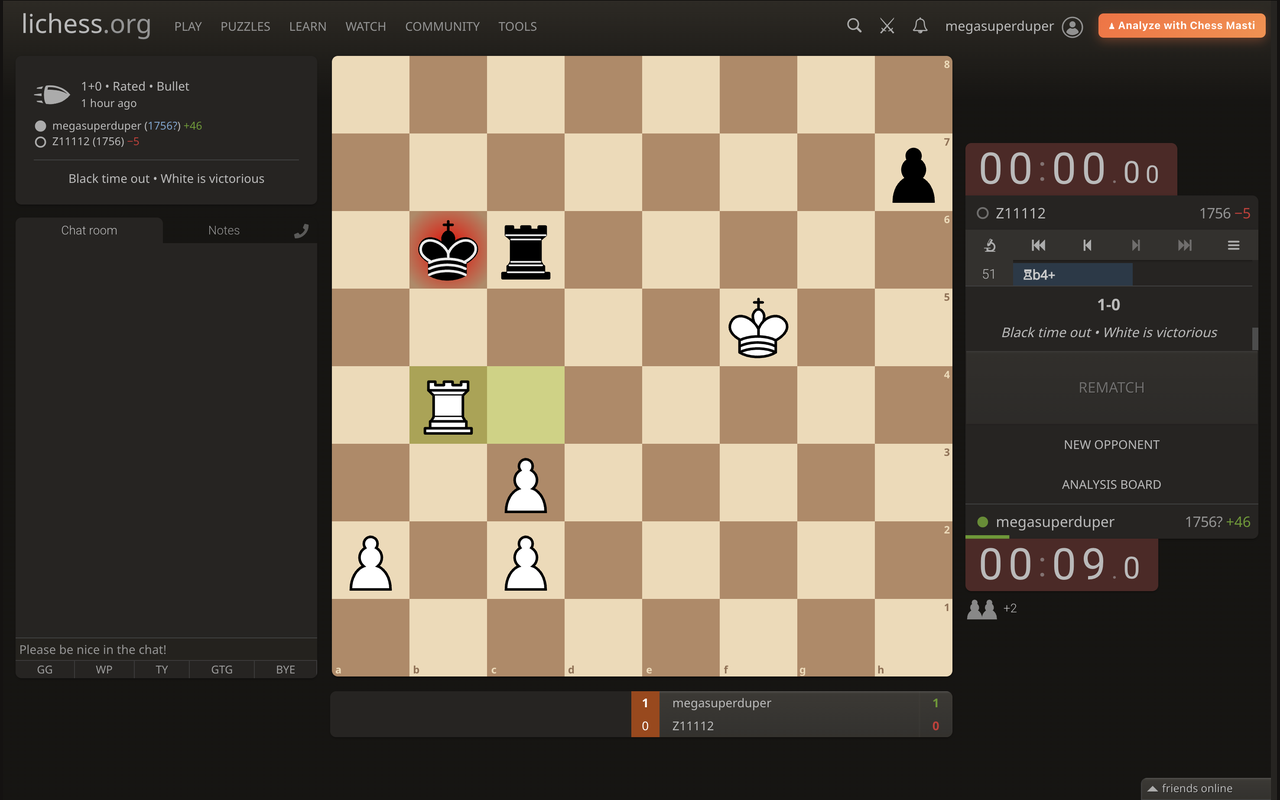
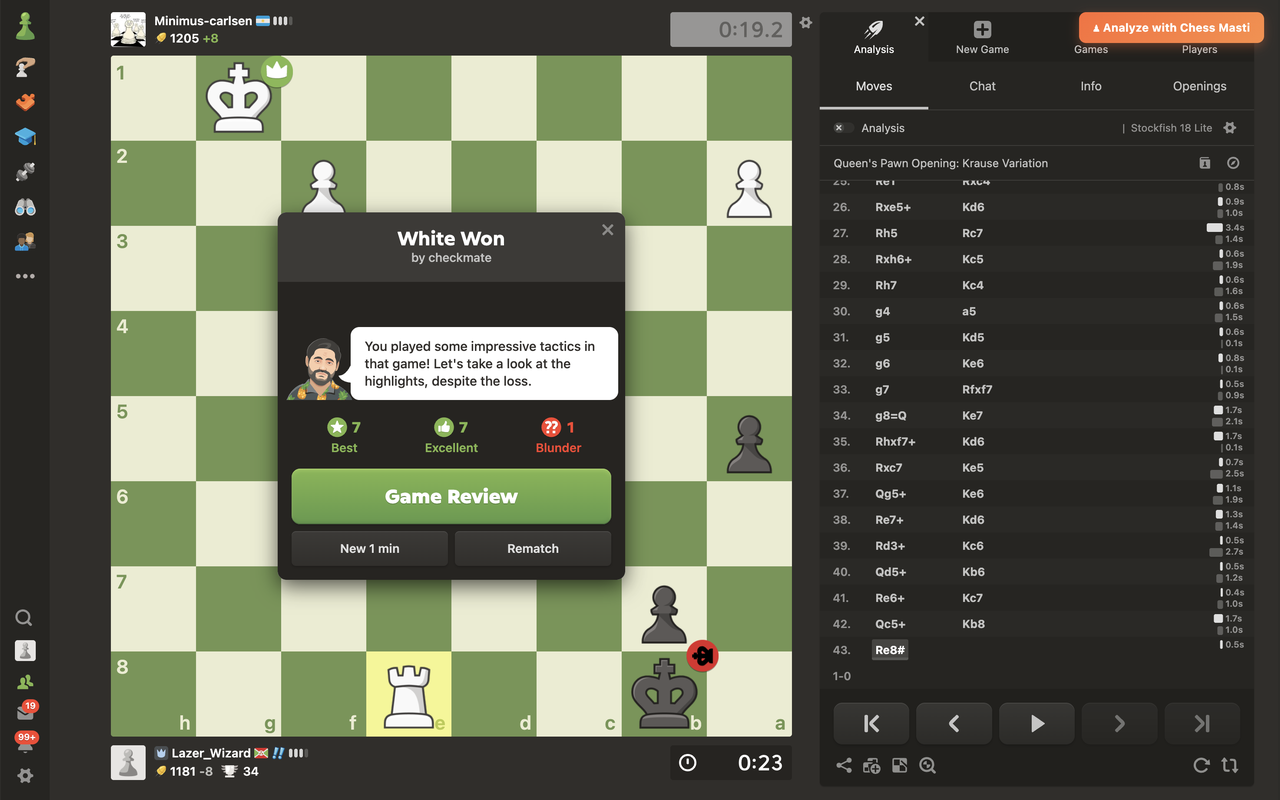
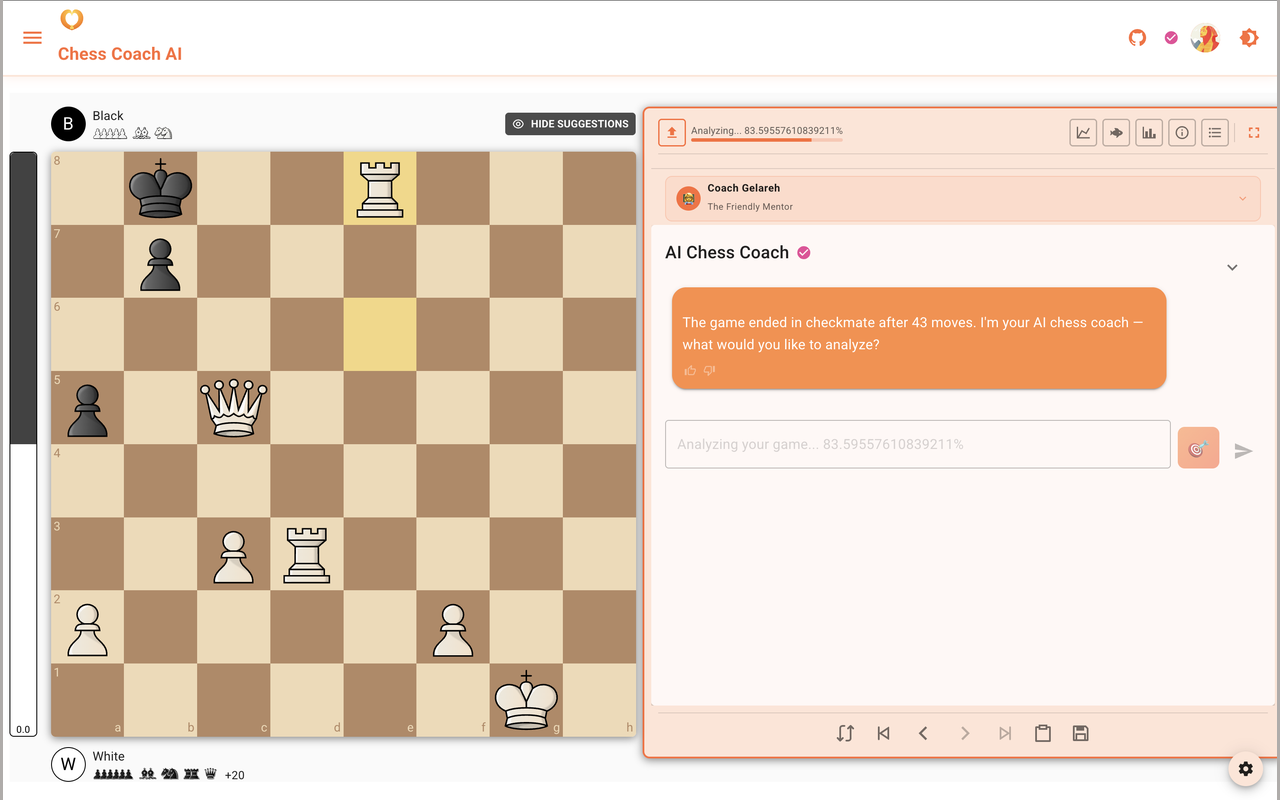
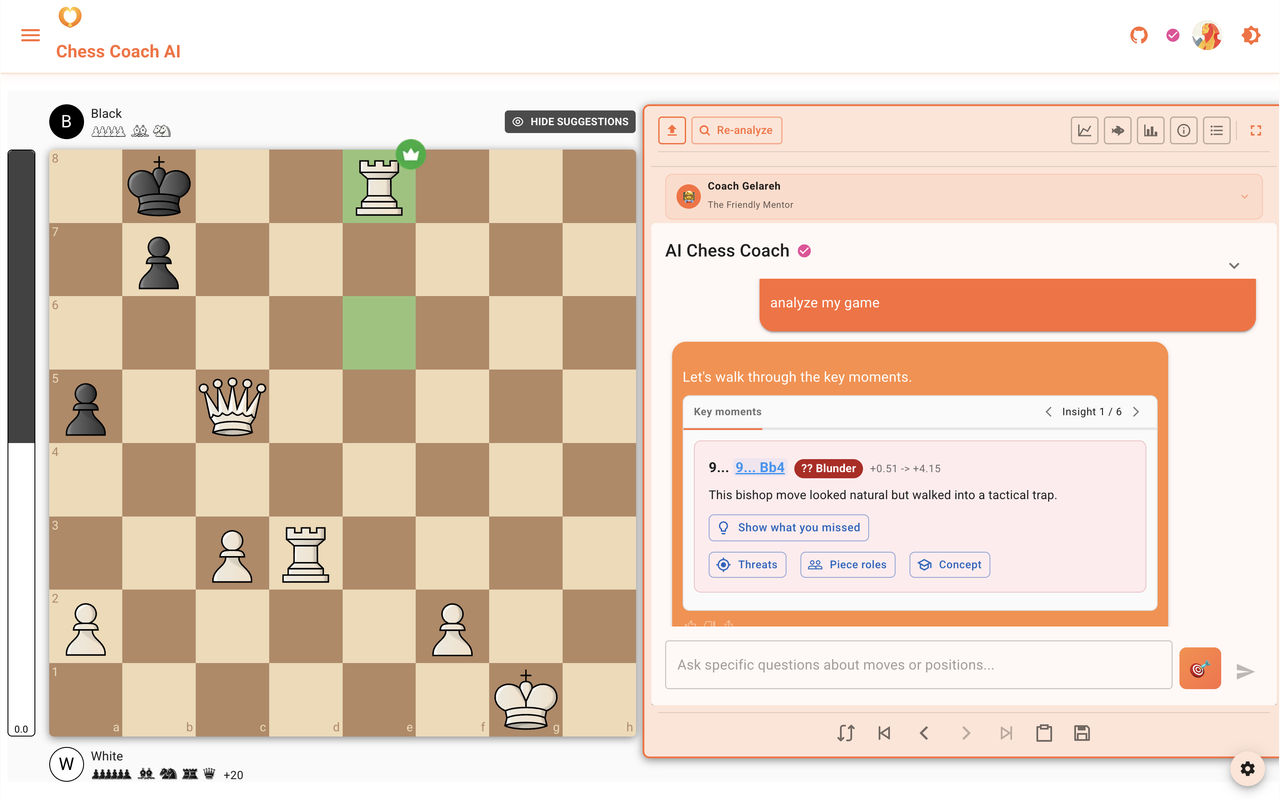
How to install
- Click Install on the Chrome Web Store and add to Chrome (or Edge, Brave, Arc).
- Visit any game page on lichess.org or chess.com.
- Look for the orange Analyze with Chess Masti button in the top navigation bar. (It may take a second to appear on the first page load.)
- Click it. The coach is waiting.
What the extension does not do
- It does not collect personal information.
- It does not track your browsing across sites.
- It has no background script, no storage, and no remote server of its own.
- It runs only on lichess.org and chess.com, and on no other sites.
- It modifies those pages only by adding the single button.
- It sends the PGN only to chessmasti.com, and only when you click, which is the same as pasting the PGN into chessmasti.com yourself.
The full privacy disclosure for both this extension and the chessmasti.com website is at /privacy.
Browser support
Works in any Chromium browser: Chrome, Edge, Brave, Arc, Opera, Vivaldi. A Firefox port is planned.